Chapter 12Edit and export
After the show, open the recording in the editor: cut, copy, paste, move blocks, add markers, and export an MP3 with chapters.
Open a recording
Click ✂ EDIT in the top bar. Choose the recording:
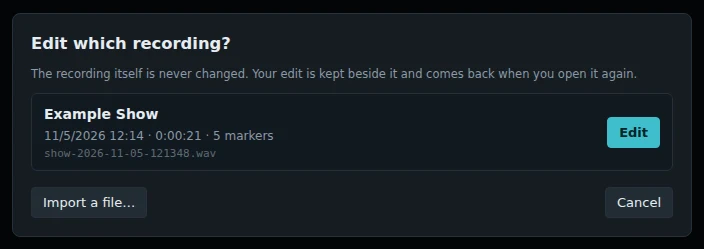
The recording itself is never changed. Your edit is kept beside it, and comes back when you open it again.
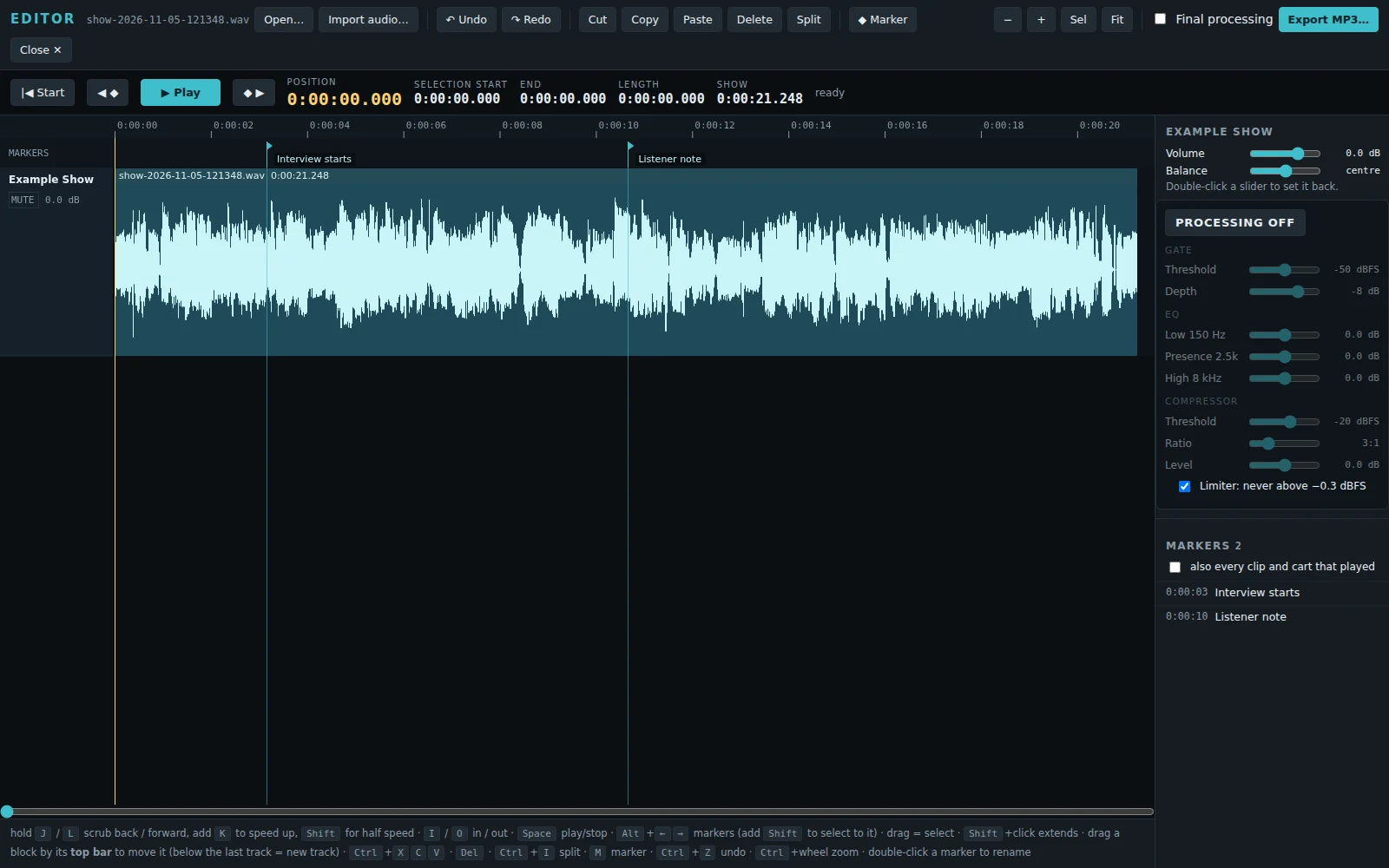
Play and move around
| Space | Play or stop. With a selection, plays the selection. |
|---|---|
| Hold J / L | Scrub back or forward. Add K to go faster, Shift for half speed. |
| Alt+← / → | Go to the previous or next marker. Add Shift to select to it. |
| Home | Go to the start. |
| Ctrl+wheel, − / + | Zoom out and in. Sel zooms to the selection, Fit shows the whole show. |
Select and edit
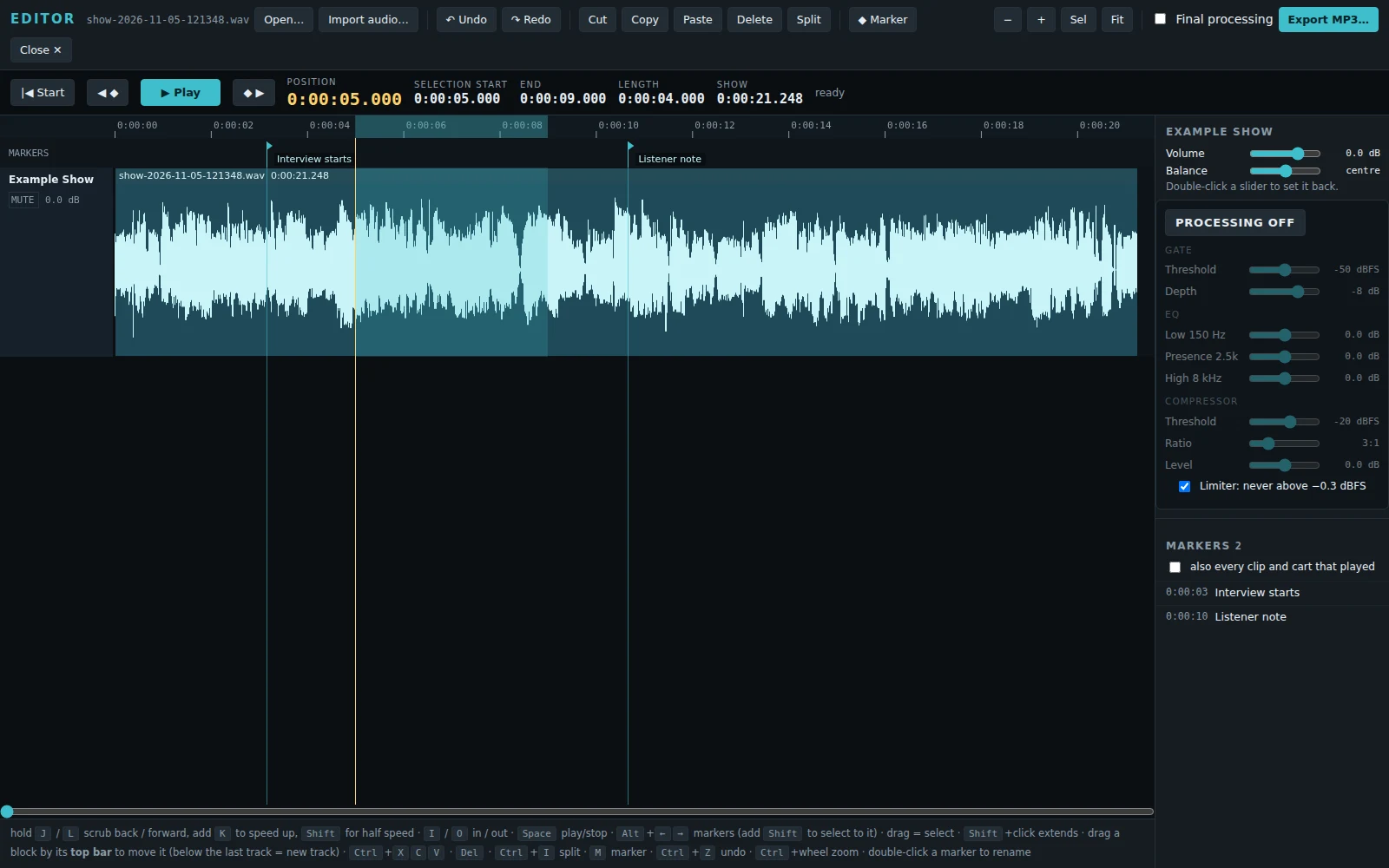
| Drag | Select. Shift+click makes the selection longer. |
|---|---|
| I / O | Set the start (IN) or end (OUT) of the selection where you are. |
| Ctrl+X | Cut. The gap closes. |
| Ctrl+C / V | Copy, and paste at the cursor. Later audio moves along. |
| Del | Delete. The gap closes. |
| Ctrl+I | Split the block at the cursor, so the pieces can be moved. |
| Drag a block by its top bar | Move it. Drop it below the last track to make a new track. |
| M or Ctrl+B | Add a marker at the cursor. Double-click a marker to rename it. |
| Ctrl+Z / Ctrl+Shift+Z | Undo and redo. |
Separate tracks: volume, balance and processing
A recording with separate tracks opens with one lane for each track: Mic, Clips and carts, and each guest. The show mix is the last lane, muted. Keep it muted: it is there to compare, and playing it with the tracks would double everything.
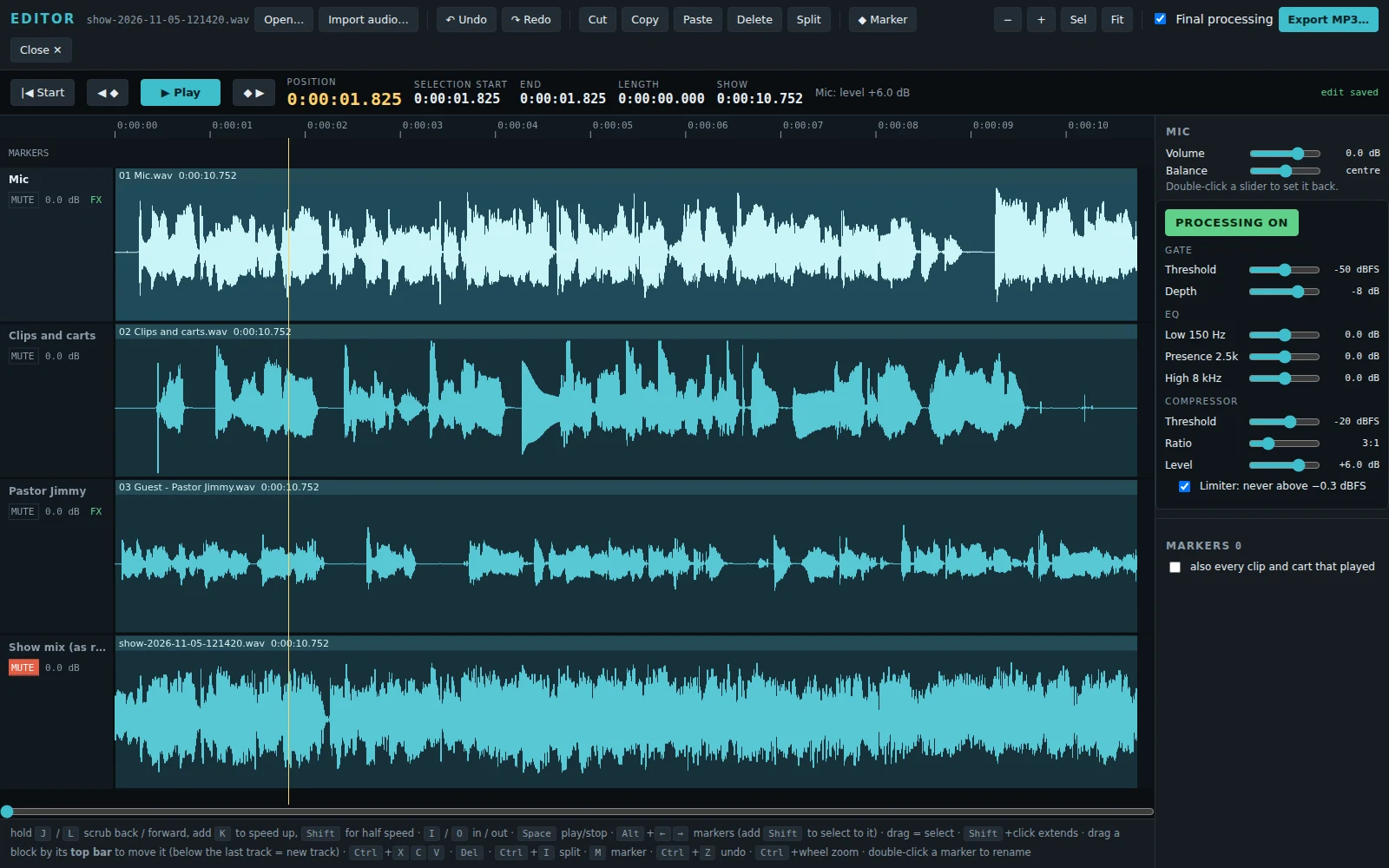
Click anywhere on a lane to choose it. At the right you get its controls:
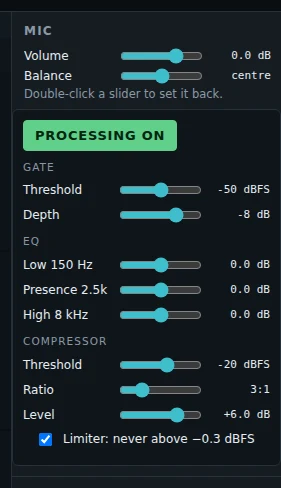
- Volume and Balance. Double-click a slider to set it back.
- PROCESSING ON / OFF, and the same processing unit the guests have: a gentle gate, a 3-band EQ (150 Hz, 2.5 kHz, 8 kHz), a compressor with level, and the limiter.
Each guest's track starts with the show's settings for that guest, as on the night. The mic and the clips start with processing off. A lane with processing on shows FX in green.
You hear every change while you play. Each slider move is one step for Ctrl+Z.
The waveform follows too. When you make a track louder, its waveform gets taller at once. With processing on, the waveform shows the processed sound: a moment after you change a setting, the lane is drawn again from what you hear.
Final processing, in the top bar: the show's gentle bus compressor and ceiling, on the whole mix. It is the same processing that the live show mix gets. It is on for a recording with separate tracks. You hear it as you play, and the export uses it.
Cut one track
Select on one lane (for example, a cough from one guest) and press Del or Ctrl+X. That track gets silence there, and nothing moves, so all the tracks stay in sync. Select on every lane to cut the show itself: then the gap closes on all of them, and the show mix follows too.
Import audio… brings in another sound file (a jingle, an intro) on a new track. The list of markers is at the right; tick "also every clip and cart that played" to see those too.
Export an MP3
Click Export MP3….
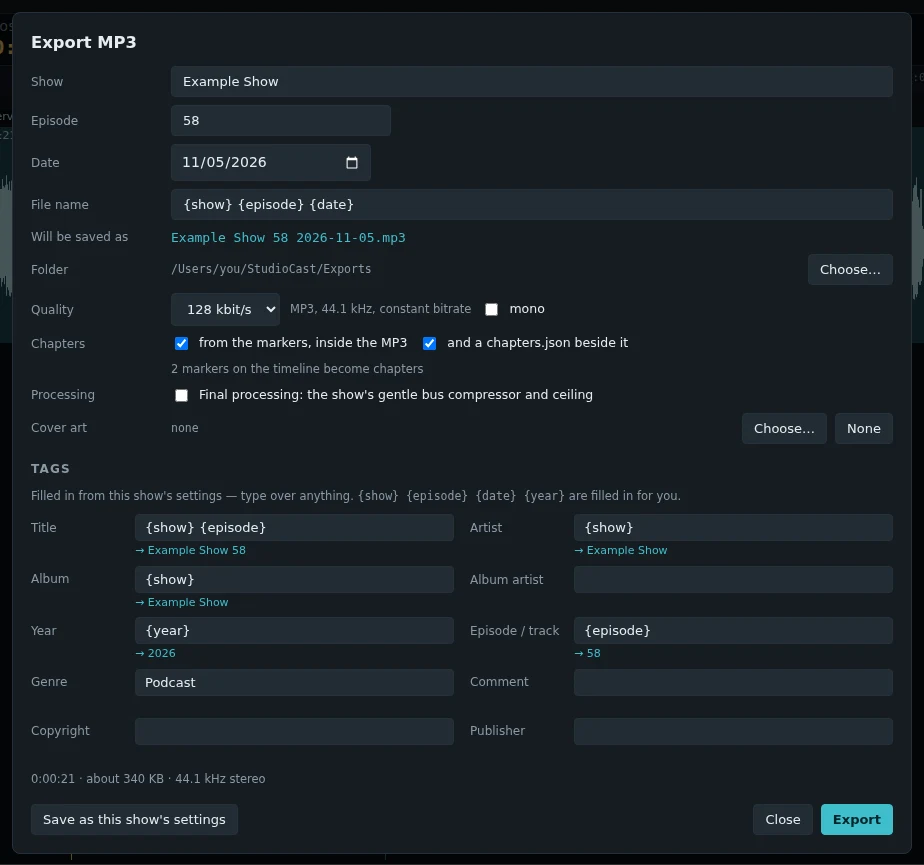
- Show, Episode, Date fill in the file name and the tags. {show} {episode} {date} {year} are filled in for you.
- Folder: where the MP3 goes. Quality: 192 down to 96 kbit/s, 44.1 kHz; tick mono for speech only.
- Chapters: from your markers, inside the MP3, and a chapters.json beside it if you want one.
- Processing: tick Final processing to put the show's bus compressor and ceiling on the export. It is the same box as the one in the top bar.
- Cover art and the tags: title, artist, album, year, genre and more.
- Save as this show's settings remembers all of this for the next episode.
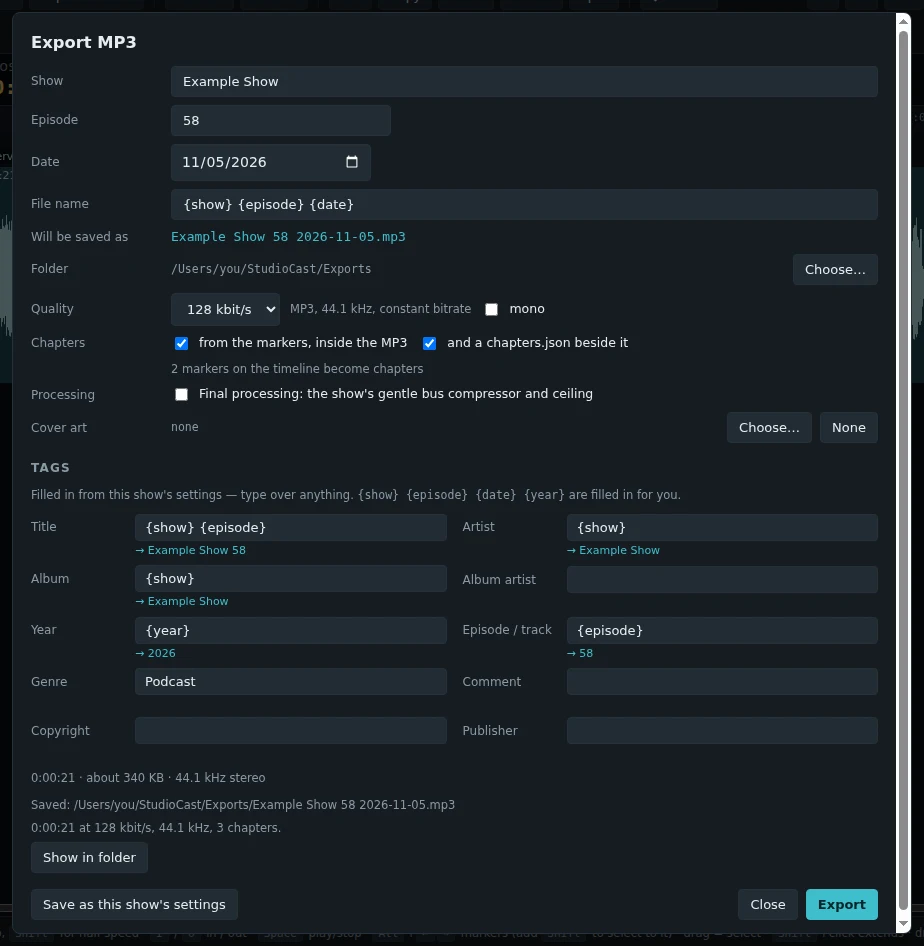
Click Close ✕ to go back to the desk. Your edit is saved.