Chapter 4Players
Eight players across the top of the desk play your clips. They go straight into the show's mix.

Load a clip
- Click a file in the clip browser. It goes into the next free player.
- Drag a file from the clip browser onto a player.
- Right-click the name of a player to load any file from your computer.
Click a file that is already in a player, and that player flashes. It is not loaded twice. When all players are full, the player that has not been used for the longest time is used again, but never one that plays.
The buttons
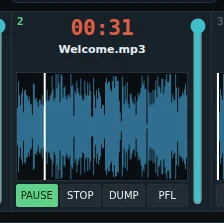
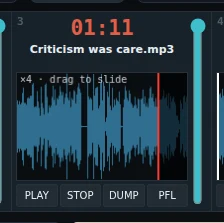
| PLAY / PAUSE | Plays the clip from its IN point. Press again to pause, and again to go on. |
|---|---|
| STOP | Stops and goes back to the IN point. The clip stays loaded. |
| DUMP | Empties the player. |
| PFL | Takes the player off the air: only you hear it, so you can check a clip before it goes out. |
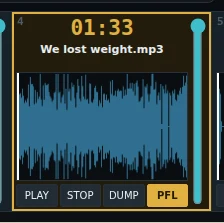
Click the player's name to turn PFL on or off too.
Time, volume and the end of a clip
- The time shows what is left. Click it to show the time played; it turns yellow.
- The last ten seconds of a clip flash, so you see the end coming.
- The fader at the right is the volume. The mouse wheel anywhere on the player changes it too, in steps.
IN and OUT points
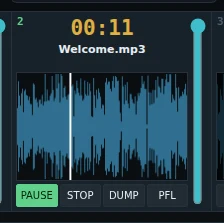
Play only part of a clip: set an IN point where it starts and an OUT point where it stops.
- Double-click the waveform to set the IN point there.
- Right-click the waveform: Set IN here, Set OUT here, or Reset IN and OUT.
- Click the waveform to jump to that place.
Zoom in
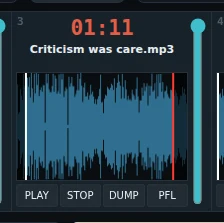
Hold Ctrl (or ⌘ on a Mac) and turn the mouse wheel over the waveform to zoom in. Drag the waveform left or right to slide it. This lets you set an OUT point to the tenth of a second, even at the very end of a clip.
If the app crashes
The players are put back as they were: the same clips, levels and IN and OUT points. Nothing starts playing by itself.